Pay Per Click Advertising Definitions

One of the difficulties you can run into when trying to set up or manage a pay per click advertising account on Google AdWords, Yahoo Search Marketing or MSN Ad Center, is the definitions of words. If you don’t understand the words it will be hard making sense of what the report is telling you.

Here are some definitions for terms you will run into when trying to set up or manage a pay per click advertising campaign with Google.

a. Search: On a Google AdWords report, this refers to the search network. This is basically the main Google page where people enter search terms, plus some other search engine sites that Google has partnered with. See also “Content” below.

b. Content: On a Google AdWords report, this refers to the content network. This is where Google will put your pay per click text ads up on other sites. You see this sometimes on web sites where it says “Sponsored ads from Google” and there is a small strip of these ads. They put your ad up on a site that has elected to have Google ads displayed, and they put it up only on sites where the subject matter of your ad matches the subject matter of the site. The Content Network greatly increases the reach of your ads, but fewer people will click on your ads than with the search network. And generally the Content Network gets a lower percentage of conversions than the search network.

c. Clicks: This is the number of people who clicked on one of your ads. Also called clickthroughs.

d. Impressions: This is the number of times that your ad appeared, either when someone typed in one of your keywords on the search network, or on the content network when your ad matched the subject matter of another site.

e. CTR: Stands for Click Through Rate. This is the percentage of time that someone clicked on one of your ads (Clicks) compared to the number of times the ad appeared (Impressions). A higher clickthrough rate means your ad is more effective, so you want this to be as high as possible.

f. CPC: Cost Per Click. This is the average cost you incur each time someone clicks on one of your text ads. This is affected by how much you are bidding for the various keywords.

g. Cost: In this column we see the total amount of money spent.

h. Avg Pos: Stands for Average Position. This means how high up your ad is appearing. As there are almost always multiple advertisers, they are shown in an order, and being nearer to the top or at the top is desirable. So if you see an average position of 1.5, that shows that your ads were appearing some of the time in the #1 position and some of the time in the #2 position.

i. Conversion: In a lead generation campaign, a conversion is someone who filled out a form and became a lead. In an online sales campaign, a conversion is someone who bought the product. There is special code which you put on one of your web pages, that will then communicate back to the Google interface and tell it when a conversion has occurred. This is vital to do, and not everybody knows about this feature.

j. Conversion Rate: This is the percentage of people who clicked on your ad and came to the site, that then filled out the form and either became a lead or bought something.

k. Cost/Conv: This is the cost per conversion. For example, if you got 10 conversions (leads) in one week, and spent $1,000 on your clickthroughs, then your cost per lead would be $100.00 each. You want the cost per conversion to be as low as possible.


 

Day One of the Canon Boot Camp: What You’ll Learn

So, you’re considering biting the bullet and learning from the pros how to use Canon DSLR Technology? Well, that’s why The Association created our Canon camera classes.  Our Pro Level I and Pro Level II classes are designed to train still photographers and filmmakers alike how to use the video functions of Canon’s DSLR cameras in just 2 days.
So I thought I’d publish on the blog some of the questions we’ll answer on Saturday, the first day of our 2 day boot camp.
AT THE END OF PRO LEVEL I YOU’LL HAVE THE ANSWERS TO THESE QUESTIONS AND MORE:

1. What are the basic 20 steps for setting up your camera?

2. What is the transcoding process?

3. What are the limitations of the 4:2:0 color space?

4. What are my options for support & handheld rigging?

5. Should I shoot FAITHFUL or…?

6. How can I avoid the CMOS sensor overheating?

7. How do I import my shots into Final Cut Pro? 

8. What are my audio options?

9. What kind of memory cards do I use?

10. What do I use to offload the cards in the field?

11. How do I avoid moiré and rolling shutter issues?

12. What do I do if my camera overheats and shuts off?

13. Can I shoot Auto Iris?

14. Can I shoot Auto Focus?

15. Is the sensor bigger than the RED?


Not so say that these are the ONLY questions we’ll answer. This Boot Camp is for YOU, the independent filmmaker. Or the still photographer. Or even the newbie struggling with settings. So if there is a question not represented here, ask by submitting a comment below. We are very interested in what you want to learn.

New to our Canon Boot Camp? Scan the QR code below with your phone to sign up for our newsletter, or click the sign-up icon below.

QR Code for Newsletter Signup


Newsletter signup Icon


Canon Boot Camp Participant Feedback

Canon Boot Camp Promo Shot

When we created our Canon camera classes, it was with the intention to help our fellow storytellers increase their digital filmmaking skills so they could get more work. A tremendous amount of time, sweat, blood and mind-numbing review has gone into our materials and approach to teaching Canon HDSLR technology. And now, in our 3rd year of providing the training, we are really starting to hit our stride.I know this because of the feedback we are receiving back from participants. Here’s a comment from a student who just attended our recent April Canon Boot Camp in Burbank:

“What a great weekend, Fletch.  It was a pleasure to meet you, your wife, Celine and the gang.  I learned a lot and really enjoyed you and your quality of teaching.  I do believe I will take you up on the offer to come back, though.  It was my first go around and I’d like to solidify the weekend.  So, hopefully in June. Thanks again, so much, Fletch.  You are a kind, knowledgeable, patient, funny, warm and giving person.  Much appreciated.”  T.C.

Braden Barty of Shadow Storm ProductionsFate allowed us to add an extra segment on Pro Level I geared around Adobe Premiere. With Adobe Premiere now offered via monthly subscription, it seemed like a good time to ask our friend Braden Barty of Shadow Storm Productions to give us 1 hour of his time. The added segment was a hit, so we are planning a separate workshop just on Adobe Premiere. Stay tuned for announcements on the date (possibly in May).Of course, if anyone has specific requests on other Boot Camp classes related to filmmaking that we should offer, please comment below! We could cover topics such as DSLR Filmmaking, lighting, editing and scriptwriting, among others. Which class would you prefer? What would you want to learn from the class?
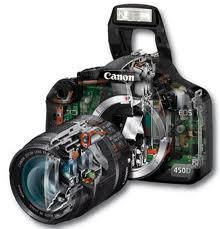
 

Squeezing the Picture Down 10 Times

Excerpt from the Canon Boot Camp Reference Manual

The Associated Press wanted their still cameras to shoot video.

The Associated Press still photographers were shooting video with pocket cameras, so the AP asked Canon if the Canon DSLR’s could shoot video.

Canon engineers faced a series of challenges to accomplish this.

Challenge One: Get the mirror out of the way so video could be shot.

Canon Camera with mirror exposed

The Canon camera is a Single Lens Reflex camera, meaning it uses a mirror to reflect the image to the viewfinder for focusing. When you push the button to take a still picture, the mirror flips up out of the way briefly. For video, the mirror needs to stay up and out of the way for the duration of filming.

Solution One: Canon engineers put a button on the back of the 5D that flips the mirror up and holds it there for the duration of filming.

Challenge Two: Video requires 30 pictures per second.

The Canon 5D Mark II began life as a still camera. Its circuits are designed to output 3.9 stills per second.* The 5D Mark III can output 6 stills a second.

3.9 Frames per second


But for video, the circuits needed to output 24 – 30 stills per second. **

Required Video Output


Solution Two:

When the Canon engineers were asked to make the camera produce 10 times as many pictures a second, they had a problem. Luckily, the solution was easy. The HD video picture only needs 2.07 megapixel picture to fill the screen. That’s one-tenth the size of the 21 megapixel picture the Canon 5D outputs.

Megapixel Comparison from Still to Video

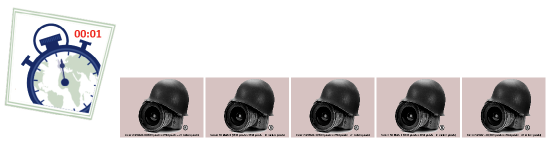
So instead of having to output 3.9 BIG pictures per second . . .

4 Frames per Second

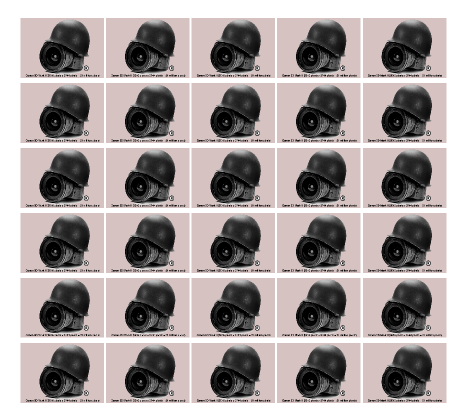
. . . the sensor only had to output 30 small pictures per second.

Small Frames for Video

Recap: Because HDTV only needed a 2.0 megapixel picture, the Canon could output 30 small pictures per second. This meant the engineers didn’t have to redesign the camera’s circuitry.


*The Canon 7D shoots 8 still shots a second.

**Film cameras, on the other hand, mostly shoot 24 frames per second. The 5D Mark III can shoot 24, 25, 30 and 60 frames per second.

Download the full Canon Boot Camp Reference Manual from our Facebook Page.


The Canon Boot Camp Visits Clickers & Flickers Photo Network

Clickers and Flickers Photo Network logoLast night The Association had the pleasure of meeting Dawn Hope of the Clickers & Flickers Photo Network. Celine had found the group online, and we inevitably got invited to their next networking event. So sallied forth wondering if we were walking into yet another dry and boring dinner with overdone chicken breasts.

What we found was a passionate group of still photographers and other creatives (even a nun!) who shared a desire to tell stories with light. And as Fletch poignantly pointed out during the introductions, filmmaking is simply a succession of still photographs.

Never heard of Clickers & Flickers? Here’s a blurb from their website about who and what they are:

 Clickers and Flickers is a dynamic, ever expanding network of photographers, digital artists, darkroom artists, filmmakers, curators, photographic vendors and photo enthusiasts of all kinds. Our members range in expertise from complete beginners to working professionals to nationally known artists. This mix is one of our strengths. The combination of an amateur’s passion and a professional’s expertise stoke the creative fires of all our members.

Our premiere event is our monthly dinner lecture. We attract world class photographers and photo professionals, such as publishers, curators, collectors, photo magazine editors and writers to speak on their area of expertise. Check out our list of past speakers. Your favorite photographer is most probably there.

It’s true. They’ve had an amazing array of speakers at their dinner lectures. Architectural photographers Julius Shulman and Marvin Rand. Rock and roll photographers Henry Diltz and Jim Marshall. Into Travel? How about  chatting it up with National Geographic photographer Gerd Ludwig and stock photographer Jim Zuckerman?

Then there’s landscape photographer Marc Meunch or wildlife photographer B. “MoosDawn Hope - Founder of Clickers and Flickers Photo Networke” Peterson.  Andrew Bernstein and Howard Bingham headed up the sports arena. And of course, the  photojournalism end has been held up by Boris Yaro and Steve Schapiro.
The list goes on. Fashion: Melvin Sokolsky. Nudes: Howard Schatz. Museum photography curator: Tim Wride. Stock photography: John Lund.

Dawn’s got it going on in the networking department. She probably knows the Pope. Or someone who’s photographed him. She’s has the energy of a puppy, maybe even more enthusiasm. In short, she’s a joy. And she’s in love with photography.

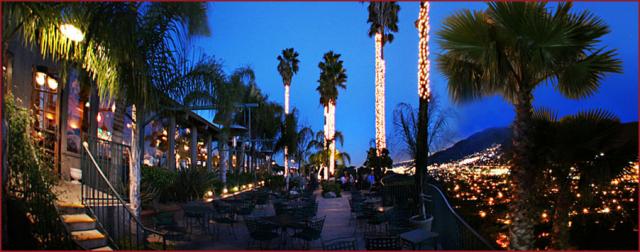
The event was held at the Castaway restaurant right here in Burbank. Asides from the lovely view, we were treated to a nice dinner with our choice of salmon, chicken or London broil. I had the salmon, which was quite tasty. The speaker of the night was William Carter, who presented us with a selection of photographs spanning 5 decades. The evening was split more or less evenly between the initial networking at the beginning, and William’s gentle and humorous monolog paired with his slideshow. Castaway at night

Along with a few other artists, we had access to a table to promote the Canon Boot Camp, which attracted a fair amount of attention. We met a number of fine photographers and other enthusiasts. Suffice to say, we may find ourselves giving a future boot camp in Africa while on safari. So keep your eye’s peeled for a future Filmmaker’s Notebook newsletter so you don’t miss out on the trip!

Anyway, filmmakers are welcome to attend the events! The next dinner lecture is May 30th (Wednesday) with Mark Boster, called the  “Four Seasons of Yosemite.” Those interested in attending should contact Dawn or visit the Clickers & Flickers website for more information.


50 Filmmakers Trained in 30 Days

We couldn’t be more pleased that The Association’s  Canon Boot Camp has proven to be so popular among filmmakers. We use a whole different method of training, in which you learn by doing. And it’s done on a gradient approach so you don’t get lost. There are trained pro’s to assist you each step of the way.

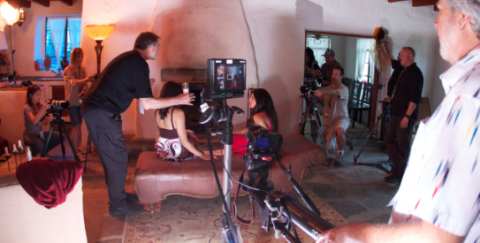
Fletch directs the shot

Columbia University calls it “Active Learning.” According to Columbia, students only hear half of what is spoken by the teacher. And students only pay attention 40% of the time.  So, they’re getting 40% of 50% of what the instructor said. That means only 20% of the knowledge transfer takes place.  That’s why we take a whole different approach.
 Preping the shot
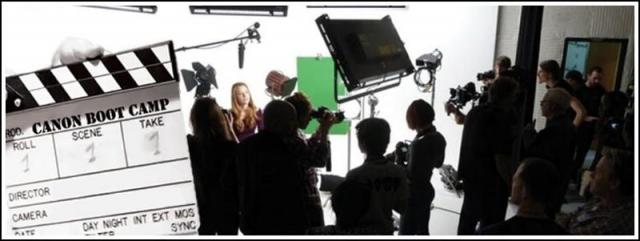
Our Canon Boot Camp is based on learn by doing drills…real life challenges to filmmakers to prove they can apply the data. We teach camera set up and operation on Day One.  Then, on Day Two we shoot a short film.
We started the Canon Boot Camp to help our fellow filmmakers get work. And we’re achieving our goal. It’s a real win-win. Many thanks to the great delivery team we have: Nancy, Celine and Tom, and those who help make it all work:  Trevor, Tom, Lisa, Michael, Chris, Lawrence, Brian, Jeff, and the wonderful folks at EVS, the home base of The Association’s Canon Boot Camp.
Filmmaker's Notebook Email Newsletter
If you’re not able to take one of our upcoming boot camps, follow along with our exploits by signing up for our email newsletter, “Filmmaker’s Notebook.” Text CANONBOOTCAMP to 22828 to access our signup link on your mobile phone.


Canon Boot Camp Becomes a 2-Day Class In June 2012

Canon Boot Camp Logo

The Association’s Canon Boot Camp has been busy since the start of the year! Prague. Burbank. Palm Springs.

Since the start of the year we have trained over 80 Canon Boot Camp participants in the ways of Canon DSLR. Here’s a few comments from recent classes:

“Overall I loved it. Had a blast and learned a lot.” S.H.

“Fletch and crew were wonderful!” C.L.

“I enjoyed the course. I was worried I might be ahead of the curve since I have shot before but I learned some great tips and tricks.” R.H.

“Thanks, I enjoyed the workshop. It was an excellent experience!” J.H.

We’ve really enjoyed the process of creating and improving both Pro Level I (basic DSLR training) and Pro Level II (Advanced DSLR).  Unique to our training is our hands-on approach while still maintaining a strong foundation in the basics.  And with over 2 years of experience in getting shooters of all backgrounds quickly up and running with the Canon HDSLR, we’ve decided to make a fundamental change in how we deliver our signature Canon camera classes.

Up to this point, the Basic class (Pro Level I) and the advanced class (Pro Level II) have been offered as separate classes, each for $399 (early discount sign up rate – it’s $499 if you wait till the last minute!). However, the full benefit of the Pro Level I training really ripens when you get down and dirty with an actual shoot, complete with script, lighting, etc.

Canon Boot Camp

We’ve also discovered that no matter how trained or experienced participants are, if they only take Pro Level II, they need at least some of the basic training offered in Pro Level I. One of those, “you don’t know what you don’t know” situations, but with the number of mental light bulbs going off in Pro Level I, it didn’t make sense to deprive even the most well seasoned shooters of the basic training.


So, to cover the bases for everyone, we are combining Pro Level I and Pro Level II into one, 2-Day Boot Camp. Really, nothing changes except that there’s only one Boot Camp now instead of two. We still deliver both basic and advanced/pro levels! The pricing stays the same, in that the combined classes are $699 if you register by midnight the Weds before the Boot Camp starts (after that it’s $989 – so save $300 and register early).

The Burbank Boot Camps will still be on Saturdays and Sundays (usually the last weekend of the month).

If you had your heart set on only attending Pro Level I or only Pro Level II, you’re in luck. We still have a couple slots left in the April 28th and April 29th classes. The month of May won’t see any classes, and in June, we switch to the new 1 Boot Camp mode of one 2-day class. If you want in on the April 28th class, book right now or you might miss out. There are literally just a couple seats left as we limit the class size.

If I’ve completely confused you, give me a ring at The Association! We’re down for real conversations on the phone or in person. We’d love to hear from you either way!

Prague Canon Boot Camp a Huge Success

Green Screen Compostite Shot
The Association’s Canon Boot Camp Team recently traveled to Prague, Czech Republic to deliver our signature Canon camera classes. Thirty-eight filmmakers from Prague and other parts of Europe joined our Prague Boot Camp.  The first day we trained them in Canon DSLRs. The second day we shot a dramatic short film about two lovers breaking up at the ornate Prague train station, the scene of many motion pictures.
Would you like to hear the story? We’re working on editing the shoots into a short film, which we’ll make available as soon as it’s complete.
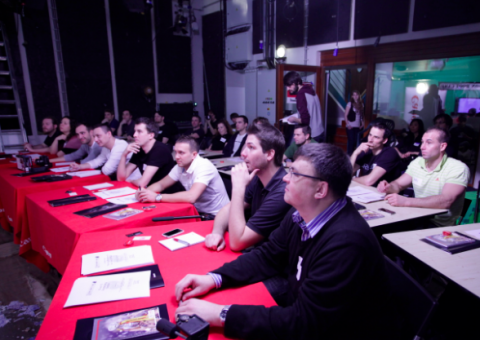
Prague Canon Boot Camp Students
The film opens with a distraught woman in a cab. She gets out at the train station. Her lover in a separate cab pursues her.
She rushes past an empathetic janitor.  The man runs into the station searching for a flower bouquet but the flower shop is closed. He spots the janitor and asks him if there is a flower shop open.  The janitor says no, but the janitor offers him the old rose on his cart.  It’s old and withered. The man refuses. The janitor urges him to just touch it. The man finally touches the rose and when he does the rose comes alive.  The man takes the rose and runs to catch his woman.
He offers her the rose but she throws it in his face. He walks away dejected.
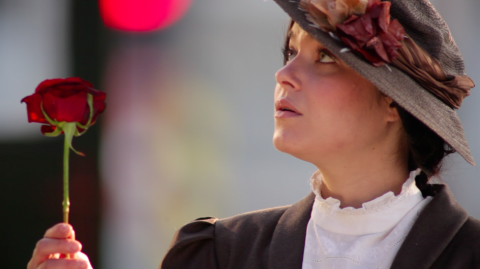
Prague Boot Camp - The Lover and the Rose
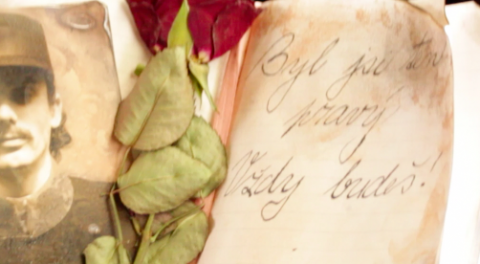
The rejected rose on the ground triggers a distant memory in the woman and she flashes back to an earlier life. We dissolve to an old woman on an old train remembering her young soldier. A rose and his picture are in her diary on her lap and as the train rocks gently she remembers the day when she bid her young love (a soldier leaving on the troop train) goodbye never to see him again.
Prague Boot Camp - The Rose and the Diary
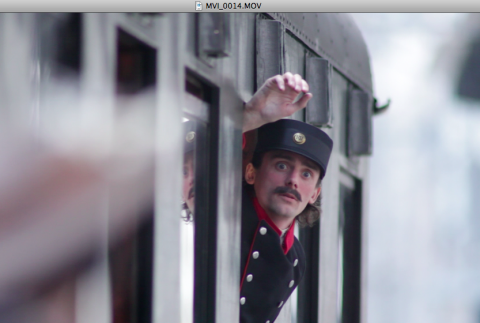
Prague Canon Boot Camp - The Past Life Lover
The old woman sighs and looks out the window.
The modern woman looking into the window of the modern train, sees the wispy image of the old woman and realizes her mistake.
The modern woman calls out to her lover and runs to him and they kiss happily.
As the happy couple pass the janitor he nods, then looks at the withered old picture of the young woman a long time ago.  The janitor disappears. The woman’s picture disappears.
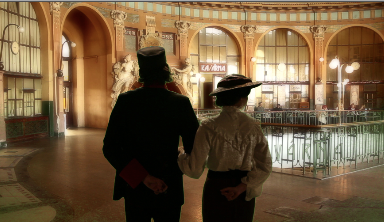
Next we see the young soldier and his love walk into the old Prague train station, visually laden with the art nouveau architecture (see 1st picture above).
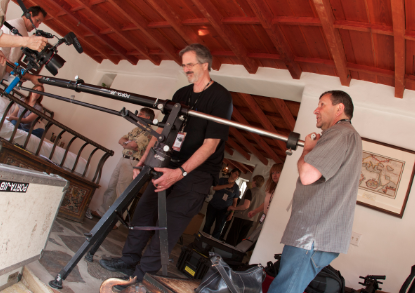
We broke the students into smaller camera units so we could complete the short film in two shoot days.  The filmmakers shot with Canon 5d, 60d and 7d on jib arm, steadicam, dolly, car mounts and tripods.  Canon Europe donated 19 lenses up to 600mm so we could achieve some stunning shots.
It was truly a fun shoot with great shots. Once we have the short film edited, we will showcase it here on the blog, but you can subscribe to blog updates and/or sign up for our email newsletter below:

For Email Newsletters you can trust

Filmmakers Notebook: Moonlight Bedroom – Day for Night

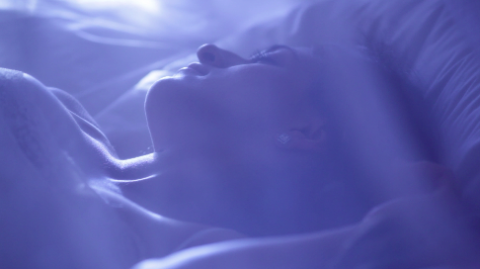
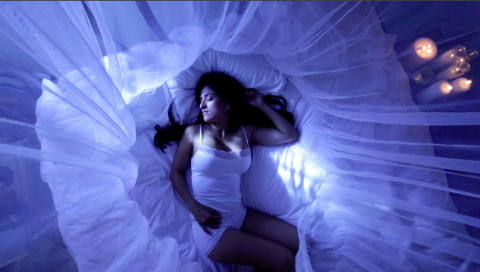
Low Angle Shot of Woman Sleeping
The following shots are from the March 2012 Canon Boot Camp held in Palm Springs, delivered by The Association and hosted/sponsored by the Palm Springs Photo Festival. For those unfamiliar with our Canon camera classes, Pro Level II (advanced training) features and actual shoot, script, actress, and equipment with all the trimmings so participants can get their hands dirty and put what they learned in Pro Level I to good use.
THE STORYBOARD: Shot of a woman sleeping peacefully, lit by the moonlight.
LOCATION: ‘The Orchard House’ at Palm Spring’s sensually exotic Korakia Penzione .
We couldn’t have asked for a better setting.  Nina and Jeff of the Palm Springs Photo Festival reserved the best setting for our shoot day. Jeff Dunas, the Director of the Palm Springs Photo Festival, graciously invited us to deliver the Canon Boot Camp as a workshop of the Palm Springs Photo Festival.
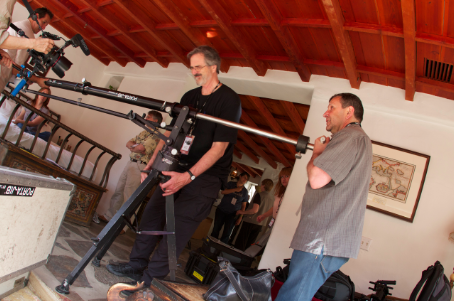
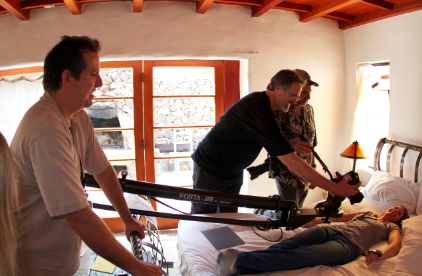
Moving the Jib for the overhead shot of a woman sleeping - slomo
CHALLENGE: Our location was built in 1928 by Scottish Painter, Gordon Coutts, and there is minimal electrical wiring to run our lights.  So rather than crank up the generator and run cable everywhere we decide to put the Mark III and Mark II to the test.   Question: Are they sensitive enough to light that if we bounce sunlight off a shiny board through a 2 foot by 4 foot window to bathe the actress and the room in “fake” moonlight?
WHAT HAPPENED: We were training a crew of mostly professional still photographers in how to use the Canon DSLR 5D Mark II and Mark III.  Plus we had some pro video directors of photography wanting to up their game.  Both were eager to learn how to shoot movies with their 5Ds.  I decided to shoot two angles of the moonlight bedroom scene.  One low angle through the mosquito netting with a 70-200mm lens. (see pic A).  No problem. Looked great.
Setting the shot
The jib arm shot was a little more worrisome. How would we hold focus up through the jib shot?  Using our pCAM app we calculated the depth of field of the shot from 20″ to six feet over the actress’ head and we saw with a 24mm lens at f 5.6 we could hold focus the whole way.  So we held focus all the way through the rise up. Normally we would have put a 7D on the jib arm to get slow motion, but with the new Mark III we could shoot with at 60 fps. Shooting slomo made the shot more elegant and smoothed out any twitches in the move.
LIGHTING – The “moonlight” was a blast of sunlight coming off a shiny board outside the bedroom.  To further enhance the blue moonlight we dialed the white balance down to 2500 Kelvin.  ISO was at 1250.
A fan placed just off axis gently wafted the gauzy netting.
RESULT
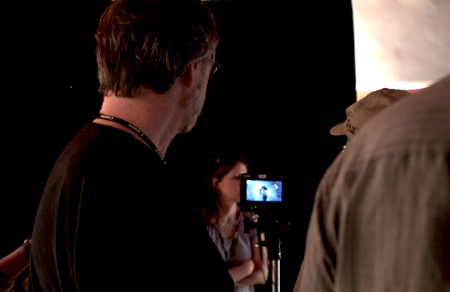
Fletch reviews the jib arm shot
The shots looked great. Just one light source. Totally believable.  The class was very pleased and had something good to put on their reel.
The jib arm shot
NOTE: DANGER of JIBS
Our Canon 5D Mark III was on a jib arm above the actress on the bed.  This is dangerous, by the way. Jibs are dangerous.  There is way too much weight up top. People try to scoot them over a bit and find the whole apparatus tips and crashes to the floor.  I’ve seen it happen twice. So always have two people on either end of the arm and a third person to position the tripod base.  It’s best to find where the camera needs to be to get the shot and then build and position the jib to that position.  If you have to move the assembled jib, have the actress clear away. Have a calm person on either end. Shoelaces tied. A third person in the middle wrangles the tripod base and keeps it from tipping over. Move slowly. Please be careful.  Walk twice as slow as you normally do.
So, hats off to our Canon Boot Camp class and the Palm Springs Photo Festival. Our crew of Tom Myrdahl, Celine and Nancy guided our students through the setups, lighting and media management steps. Directing them was a true pleasure and we did 19 setups in their first day filming with the 5D.  We wanted them to experience production but not at the expense of learning.  So we took our time and answered all their questions as they grooved in their new-found skills. We can’t wait to see their work when they pick up experience.
In the next Filmmakers Notebook we’ll show how we lit the copper bathtub scene. Be sure to attend our Canon Boot Camp on April 28th (Pro Level I) where I’ll be covering our experience with the Mark III in Prague as well as in Palm Springs, so that attendees who haven’t gotten their hands on one yet can get their questions answered.