Preparing Clients to Buy Your Video Services

Tuesday, May 21, 2013 by Trevor Eisenman

Use events to close more clients for video services

Purchasing video services is often a major decision. There's a lot that can go wrong for a lot of money. To add to the mix, in Los Angeles/Burbank/San Fernando Valley, there's a lot of video production companies to choose from. Holding informational or training events for clients can help prepare them both to go through your video process and close them on choosing you, the expert video production crew, to produce their video.

Have you ever actually written down everything you know on video production? I'm willing to bet that, if you've successfully made a living at video production so far, you probably know a lot! If you know more about video production than your client, you're qualified to train them on what you know. Taking the time to educate a client on various aspects of the video production process can go a long way in closing them on using your skills for their video. After all, you've already helped them by shedding light on how it all works. 

Holding an event for potential clients can accomplish several important steps in closing any one of them on a video:

  • It compresses time, getting multiple potential clients in a room, out of which several paid clients may materialize (hopefully with a checkbook)
     
  • Potential clients get a chance to informally meet you in person, avoiding personality conflicts later and increasing chances of clients hitting it off with you. If they don't like you, they won't become clients, avoiding awkwardness later.
     
  • Assuming your event is helpful, they should come to the conclusion at the end that you are qualified to produce their project.
     
  • Events give you a chance to show work you've already done in a controlled environment (YouTube is NOT a controlled environment due to the distracting ads from your competitors...
     
  • Inviting current or past clients to attend allows them to help you close potential clients through the group interaction an in-person event allows.


Here's some possible events a video production company could hold for potential clients:

Navigating Video Production and Working with Production Companies

How to Plan your Online Video

10 Ways Video can Boot Sales

Tips on Choosing a Video Production Company

The Elements of a Successful Commercial


Whatever topic you choose, keep in mind the Seven P's so that your event is successful and people actually show up! Don't know what the seven P's are? Proper Prior Planning Prevents Piss-Poor Performance. If events haven't been your thing in the past, get educated on how to pull of a successful event, THEN produce it.

Producing an event won't be unlike producing a video. It takes a team, and there's a number of details. I'll be writing a series of Event Tips in this blog on some of those details, so keep an eye out for the Event Tips Series. We've been producing our own events for several years, generating thousands of dollars a month as well as new clients and projects. You can too!

3 Tips for a Perfect Custom White Balance

Wednesday, May 15, 2013 by Celine Duong

Setting a Custom White Balance

Setting a custom white balance is easier than you might think. It takes just a few short steps, but the key is to make sure the steps are done properly.

First, fill your frame with something white. You can use a white board, a grey card, a white wall or the actual light source. The key to doing this step correctly is to properly expose the image. You can check the proper exposure by tapping the shutter half way down until the light meter comes up. If your meter is dead center, you are perfectly exposed according to the camera. If it is to the left, you are underexposed, and if it is to the right, you are overexposed. This is a very crucial step to getting the proper custom white balance.

Now, take the picture. A lot of people I’ve taught have trouble getting the camera to actually take the picture of the full screen of white. This is because their camera is set on Auto Focus and it cannot focus on white because there is nothing to focus on. Therefore, it is attempting to focus and will not allow the picture to be captured. To fix this, simply put your camera on Manual Focus and you’ll see that with a simple click of the shutter, the image will be captured and you can apply it as your white balance. 

Next, go to your menu and find the “Custom White Balance” tab. Once you select it, it will show you the image of the white you’ve just captured. You can also scroll through to select other ones if you’ve shot several white cards. Press “OK” to set it as your white balance and “OK” again.

Now that you’ve told your camera what white should look like, you need to apply it to your shots. You do this by going to your white balance selections and scrolling to the custom white balance icon. If you miss this step, your custom white balance won’t be used by the camera even if you have just set it.

Setting a custom white balance is effortless if you remember 3 very important things:

1.     Make sure your image of a full white screen is properly exposed

2.     Make sure your camera is on Manual Focus

3.     Make sure to select the “Custom White Balance” icon once you’ve set the custom white balance

One final tip: One a few occasions, I’ve seen the white balance skew to green where everything in the screen is green instead of white. To fix this, just do the custom white balance again. The white card you’ll fill the screen with will appear green, but setting the custom white balance will change that problem precisely because you are telling your camera that the green is actually white. Problem solved! 

You've got the camera. Now what?

Wednesday, May 15, 2013 by Celine Duong

The DVtec Multirig and stabilizerYou’ve got the camera. Now what? When filmmakers come to the Canon Boot Camp, one of the sections they look forward to is the gear demo. Thanks to our sponsors such as RedRock, Manfrotto and Alzo! Because of the size and dynamics of the camera, it can be used in so many ways and situations. Its size can be an advantage and a pitfall; but the right rig can enhance the camera. Also, because of its versatility, there are so many different types of rigs manufactured for the Canon HDSLRs and finding the right one for your specific type of work can be a challenge, yet it is so important.

 I am a shooter that likes to operate mostly hand-held and as bare bones as possible. If I am moving around, I sometimes use a monopod for stability, but if I am stationary most of the time, the tripod is my best friend. If there is a rig that I recommend, it is the DVTec multirig, which I’ve written about previously, and will expand on below. So, this post reflects my personal experiences using rigs and helping people find the right rig for their specific style and type of shooting.

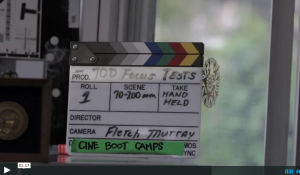
Meet "The Guinness Rig" from Fletch Murray/CineBootCamp on Vimeo.

A lot of HDSLR users go right for shoulder rigs. Maybe it’s because they’ve seen how cool Shane Hurlbut looks with one, or maybe it’s because they see the rigs being sold everywhere, so they must be a necessity. Such is not the case. I am personally not a fan of shoulder rigs because I feel that they restrict my motion while I am filming.

Also, the more accessories piled onto the rig along with the camera, such as a mic, a monitor, follow focus, etc, the heavier it gets on one side of your body. This makes it difficult to use it one-handed so focusing, zooming, etc can become more challenging. Shoulder rigs would be good if your shots are mainly shoulder level, like for a newscast, but I’ve found that my mobility is restricted if I’m trying to shoot lower than that, unless I put myself in some uncomfortable squats.

Recently, I was talking to a skateboarder who films skate events and he told me he was interested in using a steadicam while skating. I suggested trying the DVTec Multirig for more stability which sounded great to him until I mentioned that the great thing about it is the rod that comes down to the waist. All filmmakers I’ve told about this rig understand right away that the rod is ingenious. However, this time the response was completely different. He knew right away that it wouldn’t work. Why? Because if he fell off his board, the rod would be the death of him, plunging through his stomach while he went down hill at 35 miles an hour. 

That’s when it really hit me how important rigs are to the specific type of filming one does. Not only could the wrong rig hinder you from capturing your shot, but it could also cause you some bodily harm. Seems like his original idea of using a steadicam might be his best bet. A big hit amongst skaters is the Scorpion by CamCaddie, or rigs like it. It can be operated with one hand and it is very lightweight.

There are so many different styles of rigs and gear you can use. Research and trial is key to getting the right equipment. Another accessory that people ask about a lot is follow focus. A follow focus ring and the actual gear can be cumbersome at times and inconvenient to use if you are on the wrong rig and operating as a one-man band. Again, personally, I like to be as light as possible. The rig I do recommend is the DVTec Multirig, which I mentioned above. It provides mobility, flexibility, and takes the weight off the shoulders.

A new rig soon to be out on the market that blows my mind is the movi rig by Firefly. It operates on an axis and a gimbal that provides supreme stability to the camera. You can shift the camera up and down, left and right, run with it, skate with it, operate it with one hand or two and your camera will always be level. Wanna see it in action? Check out this video:

Passion for Motion - Behind the Scenes from Freefly on Vimeo.

I’ve contacted the manufacturer about sending a demo for the Canon Boot Camp, but unfortunately they are unable to do that at the moment. I can’t wait to get my hands on one, but at approximately 15,000 dollars right now, I can just keep dreaming about it.

This was just a brief overview of rigs to emphasize the many different types of equipment that is available to us so that we can master our HDSLRs. Not all rigs are made equal and not all rigs will solve all problems, so shop carefully!


Invest in Yourself

Wednesday, May 15, 2013 by Celine Duong

Canon Boot Camps: Invest in your filmmaker skillsThe only way to land bigger and better film jobs is to increase your skillset as a filmmaker. Whether that means reading blogs, conducting your own camera tests, trying out equipment, taking workshop classes, or spending hours on online courses, it's up to you. In order to become better, we have to improve our toolbox, literally and figuratively.

One of the best thing I did for myself, after I graduated from college with the goal to work in production, was to invest what little money I had into a Canon 7D. I had never used a digital camera, but the Canon HDSLRs were becoming very popular, so following the lead of a mentor, I purchased the 7D camera kit. I went on to a trip to Asia to start gathering b-roll on a documentary I am still planning to film and produce. I was basically shooting blindly as I did not know much about controlling the camera. I'm pretty sure I was on auto during the entire trip. Still, having the camera put me in charge of capturing some beautiful scenery.

Celine Duong, Canon Boot Camp Instructor, Former InternWhen I got back, I started volunteering on shoots that needed a Canon HDSLR. Once there, I slowly got the grasp of how DPs set up their cameras for different scenarios. They would tell me what ISO to set my camera, what f-stop, etc. I learned so much from these small jobs and started getting hired as a freelancer. I credit this camera for getting my career started. It also got me hired as an intern at The Association since Fletch was and still is running the Canon Boot Camp. I participated in a Boot Camp, which helped me fill in the gaps.

Now, I am one of the instructors at the Canon Boot Camp and frequently shoot with the Canon HDSLRs. As a poor college grad, purchasing the camera, the CF cards, and the gear was a big deal, but now I see how well the investment paid off. 

Spending that extra money or extra time on something we are passionate about never goes to waste as long as we use it to improve ourselves. Always put the money back into yourself if you want to keep moving forward. Sometimes not making money and working for free is also an investment. This industry relies on a lot of free labor. I wish it wasn't this way, but everyone is always looking for an intern. Depending on what you do as an intern, working for free for six months can really pay off. I would not have learned so much about the Canons and about editing had it not been for my willingness to work for free my first year out of college. If you are dedicated and passionate, someone will reach out. 

Whether it is new gear or a workshop, don't hesitate to invest in yourself! We may have pelican cases full of the best lenses, and the best rigs out there, but having the sharpest camera does us no good if we don't understand how to use our tools. Taking an online course or a hands-on course helped me to understand what I was holding in my hands and how to best utilize it to create my visions.

For example, I always appreciated the look of depth-of-field in images, but it wasn't until I understood every aspect of the camera's functionalities working together that I understood how to achieve it, especially in a high-key outdoor situation. Without my first investment in the Canon HDSLR, I never would have landed where I am today, as one of the instructors of the Canon Boot Camp and the producer of the workshop! 

Always move forward! Hope to see you at one of our workshops! 

Active Learning at the Canon Boot Camp

Wednesday, May 15, 2013 by Celine Duong

Since Day One of The Association's Canon Boot Camp over 3 years ago, we’ve always taken the stance of Active Learning at our workshops. This means that our HDSLR workshops are very hands-on and that our students retain more information than they would have in a lecture setting.  Our students have all left the Canon Boot Camp with their questions answered. According to our surveys, the main reason filmmakers come to our bootcamp is to learn to operate the Canon HDSLRs and to become more comfortable using the camera and understanding the menus.

Thanks to our Active Learning method, beginner students who may have more questions than an intermediate student are not left behind because we answer all questions as they come up. That means that our students never fall behind by having to wait until the end of the class to ask questions. We are happy to be interrupted by a raised hand. Our student to instructor ratio is about 3:1 and our well-rounded team can answer questions about all Canon HDSLRs, lighting, sound, media management, production, and more. 

Instructor ratio is 3:1 at the Canon Boot Camp

Check out this video highlighting our Canon Boot Camp:

The secret to the success of our workshop is that everyone is involved in each other's learning experience. Not only do our instructors dish out nuggets of success, but our students become involved in each others' education. Because we have participants of various backgrounds, they are able to provide insight into their niche and share details of what gear and equipment is most useful for them during our product demos.

This is one of the main reasons why we pair students up during drills and let the "twins" work together. They work off of each other's strengths as they navigate through the confusing and hyper-technical menus (especially the Mark III's. Have you seen that beast?). When they are both stuck, this is when one of us instructors comes by to guide them through. 

Students learning together in the Canon Boot Camp

Our Active Learning method also includes drills that ensure the participants leave the workshop being very familiar with the location of settings, buttons, etc. This includes changing the ISO, setting a custom white balance, changing the f-stop, and more integral parts of using the camera that you'd want to remember during a high-stress situation. We train you so that adjusting these key settings becomes second nature. Having gone through years of schooling, I wish more of my classes were taught in this manner.

I always found that I learned best when teamed up with classmates. It especially breaks any tension of feeling like I am in a room full of strangers. One thing I notice from our boot camp is how quickly everyone becomes friends. If we just handed out a packet and told the students to follow it and listen to Fletch talk for 6 hours, about half the class would be asleep by the time we got to Histograms.

The interaction between students keeps the class lively, active, and productive. All the positive energy helps everyone learn better because they are very comfortable asking questions and don't hold back helping one another since they know after our introduction exercise that everyone is here for one reason: to become a better filmmaker.

All of our students happily complete the course achieving their goals of learning to operate their camera, becoming familiar with the menu, and therefore becoming more confident as filmmakers. 

Students participate in the Active Learning process


CRM Software for Mobile Professionals

Wednesday, May 1, 2013 by Trevor Eisenman

Do you run your business from your phone?By "Mobile Professionals" I mean anyone who runs their business while running around, on their phone.

"Running around" aptly describes many people in the film industry! But there are a lot of small business owners who also run their business from their cell phone. Tracking customer interactions and following up on sales can be a challenge if all your tracking software is in the office but you're on location. 

Annoyingly, many CRM softwares are overloaded with features you'll never use, if only because you can't figure out how to set them up. I remember a management consulting company I worked for had Goldmine CRM set up, and no one knew how to use it past entering and looking up contact information. Yet it had hundreds of "features." In the end, the most of the "features" went unused.

Customer Relationship Management for EntreprenuersThen I found Base CRM, created by Future Simple

The first thing I noticed (and liked) about Base was the features were stripped down to essentials, and everything about it was useful. They rely a lot on customer feedback when designing, not just what they THINK will be awesome. Their market research data collection is built right into the software, practically.

The second feature I liked was the mobile app. Now when a prospect (anyone I have in the Base CRM software as a contact) calls me, the app gives me a "follow up screen" with two main choices: "Add a Note" or "Add a Task," both of which I simply touch to activate. I can leave as many notes or task as I wish, and date the tasks for completion if necessary.

As simple as Base CRM is, it's also quite sophisticated. I integrated my email, so every email sent to and from my Base CRM contact list is automatically recorded in their contact file. I do wish text messages could be automatically recorded, but my workaround of copy/pasting each text (the important ones anyway) into the person's contact record (as a Note) is fine for now.

For those moments when Mr. Big Client calls with several requests, but you're driving and can't take notes, Base CRM can automatically record incoming and outgoing calls, storing it right in the Contact's interaction history. What a great feature for training others on how to call clients, or for Quality Control to see what happened!

If you or your team makes a lot of calls, Base CRM can save time by allowing you to quickly construct a Call List, and do the "dialing" for you. That's right! After the first call ends, Base waits for 15 seconds, and then automatically calls the next person on the list for you. Meanwhile, if you have a script, it appears on the screen, along with a dialog box to record any notes while on the call.

The usual import/export tools are all there. CSV files, Gmail, Yahoo, etc., integrate seamlessly to get your contacts "on board" and set up is a snap. Companies can be recorded as contacts separately from individual company contacts, while also linking employees to their company so you can see the connection.

Track current sales and forecast future sales while also seeing the source of the sales. It really is ingenious. The trial period is practically indefinite, as it's based on the number of "Deals" you track. You get 50 deals up front, free, and then after that you have to purchase the software. It's affordable, and should pay for itself just by preventing losses due to neglect or accidentally letting deals or contacts fall through the cracks.

You can even use a built in Lead Capture Page on your website or as part of your corporate social media network to capture leads straight into Base, saving the time it would take to manually input contact info. Overall I'm very impressed with the software, and can highly recommend it.

Click here for a tour and to check out the free trial. I've covered some of what the software can do, but I'm not match for the original! You have to see it yourself to believe it.

What floats my boat....

Wednesday, May 1, 2013 by Fletch Murray

Get Better Results with Optimized Market Research
IT'S SO EASY.....
An effective marketing plan is based on the simple concept of connecting with your audience.  To do that, you need market research data about your audience.   Not just statistical totals and pie graphs, but what moves your audience emotionally, since many buying decisions are triggered by an emotional connection. 

Our Optimized Market Research (OMR) is the secret to making that emotional connection with your target audience. If you skip the OMR research step, you're marketing blindfolded. OMR takes the guesswork out of marketing.  That's what we like to do. Our conversion rates are 4 to 8 times greater than industry average.  That's why we've been in business over 24 years.

Sometimes the hardest part of putting a new marketing plan into action is getting started. We can help getting over that first hump by having a conversation about your message, at no charge, and advise on a possible course of action. Call us today.

Killer Video

Thursday, April 25, 2013 by Trevor Eisenman

To Kill or Not To Kill. The latest video from the Canon Boot CampJust to be clear, the name of the video is Killer.  But it's also killer, as in awesome.

The is the continuation of a story from a previous Canon Boot Camp about a hit man named Alan who is killed by his mark. Unfortunately, Alan left behind instructions in case something went wrong (and it went very, very wrong). Ana Easteden plays the mark-turned-vigilante and Julie Brett plays the reformed sister of Alan, freshly out of prison with a new outlook on life.

The Association's Canon Boot Camp is a Canon certification class for DSLR Filmmakers or still photographers who wish to become expert at both setting up the camera for digital video production and the actual shoot. The first day of the 2 day class covers the settings and understanding the camera, video functions, etc. The second day is an actual shoot, complete with script, actors and lighting, which each Canon Boot Camp participant getting in shots for each scene.

After the class ends, the footage is edited and turned into a short film. Of course, each participant is listed in the credits and may use the footage in their own reel.  It's a ton of fun and the practical experience of shooting a script from beginning to end is invaluable for a new filmmakers. Experienced pros also get a lot out of it, putting into action their new digital skills.

Check out the film and let us know how you like it in the comment box!


Canon Boot Camp to go Online

Wednesday, April 24, 2013 by Trevor Eisenman

Breaking News! Canon Boot Camp to go OnlineNo matter how you slice it, having The Association's Canon Boot Camp in one location is a limitation many filmmakers just can't get around. And now that the Canon Boot Camp has gotten constistenly high reviews by attendee survey, it's time to bring it online.

Don't worry, the in-person experience is still available. But at this time, we aren't certain what the schedule will be for the Burbank, CA classes, once the June class closes out. So if you have been waiting for the perfect moment to take the Canon Boot Camp in it's current form, I highly recommend registering for the June 2013 date before it fills up.

Get informed when the Online Canon Boot Camp is available via our email newsletterIt takes time to transfer everything we've got into an online version. While we hope to release the online Canon Boot Camp by the end of the summer, we don't yet have a specific date to give out. Private sessions can be scheduled, however, if June simply isn't an option. We are very excited to bring the online course to the world, as many, many filmmakers and filmmakers to be will be able to get the DSLR filmmaking training they need, no matter where they are, as long as they have an Internet connection.

At this time, only Pro Level I will be available online. Everything you need to know to set up the camera, complete with drills and practical application to ensure 100% proficency. Pro Level II in it's current form is an actual short film, so this may be made available separately. Canon certification for Pro Level I will still be part of the online class.

If you'd like to be kept in the loop as soon as the online version of the Canon Boot Camp becomes available, sign up for our newsletter and make sure to select "Online DSLR Training." You can sign up by visiting our Facebook Page, or scanning this QR Code with your mobile phone.


Canon 5d Mark III goes 4:2:2 April 30

Thursday, April 18, 2013 by Fletch Murray

Once again NAB has dangled unbelievable technology breakthroughs before avid filmmakers. But we'd like to talk about the Canon 5D Mark III and it's much awaited upgrade to output 4:2:2 uncompressed video, which is expected this April.

To appreciate what the 5D is and why it entranced Vincent LaForet, Shane Hurlbut and Gayle Tattersall, you have to go back to 1954, when Hollywood rolled out VistaVision.

When Hollywood was terrified that this new thing called television would bankrupt the film industry they tried all manner of things to get people into the theater.  One of them was VistaVision.

The VistaVision team thought what if they built a camera that would run the 35mm film through the camera horizontally.  Motion picture film normally runs through the movie camera vertically like the film on the right (see figure below ).  VistaVision runs horizontally. It's on the left below.

vistavision vs super 35mm motion picture


(above courtesy of  http://www.widescreenmuseum.com/ for more info go to 

http://www.widescreenmuseum.com/widescreen/vistavision.htm)

Why am I talking about Vistavision?  Because that's the size of the 5D's sensor.  It's marvelously huge,  It's a VistaVision-sized sensor.  The VistaVision frame more than doubled the size of the regular motion picture (sort of what 4k is doing to 2k now). 

And like VistaVision, the 5D's sensor turned Hollywood upside down when Gayle Tattersall shot the Season Six Finale with Canon 5D Mk IIs. Suddenly there was no film to buy....no processing fees....no telecine.  All the walls protecting Hollywood's carefully guarded empire came down, just like when the Berlin Wall came down and freedom filled the air.

And Canon did more than that.  It's 5D Mark II opened an eight-lane highway to 35mm film quality for filmmakers young and old around the world.

Now everybody had their shot to make a movie.  Everybody!  

Now, quietly and humbly Canon is going to take the stage and quietly provide what we've all be clamoring for....4:2:2 uncompressed.    (Fact is, if some crazy filmmakers kidnapped Canon engineers, they could add the boards, the batteries, the fans and the circuits for this baby to pump out 4:4:4.)  

But that would leave nothing for next April....nothing for us to dream about.....nothing to save up for.

Thanks, Canon.  For once again, empowering thousands of us to do better.  We filmmakers salute you!


Teacher Learns the Secrets of Low Budget Filmmaking

Wednesday, April 17, 2013 by Nancy Murray

Ok, maybe they aren't that secret. All the great tips for low budget DSLR shooting (and no so low budget) are available to anyone at the Canon Boot Camp.

Corey is a teacher for a private school that is developing their film and video department. So he came to learn more of the technical side of the camera, already being familiar with the creative side. Here's Corey's review of the class:


Corey OrthmannI'm a teacher, and I came here to learn how to teach the technical side of how the Canon cameras work, so I can do a film making class with my students. I really like doing the creative side of it already, but I didn't know how the camera worked, all the settings, just really how how to do a lot of that, so I just wanted to learn kind of the whole thing.

I really liked the viewpoint of take us from nowhere, anywhere we're at [skill wise] and be able to have a complete product at the end. To be able to do this [digital film making] at some professional level. I thought that was  a great approach and it really worked for me. When there were things that we knew, they [the instructors]  could assimilate it quickly to kind of really tailor the experience on a real moment-by-moment basis.

There were several technical aspects that were really cool. I liked learning about how to do different lighting setups, and I really had the idea that I was going to need to buy expensive, you know, equipment to do it. So I appreciated each time it was pointed out that, "Oh, you can just get this at Home Depot," or "You can just get this at Ikea," or "this dimmer only costs $6." I was like, "Perfect!" you know, because I'm a teacher, and we don't have a huge budget to go buy, you know, the real equipment maybe that the industry uses. So I needed all those little tips on how to do it on a low budget.

And then, just getting the information on if we do want to maybe spend a little bit more to get some of the really cool equipment...just the follow focus device.... It was like, I've wanted to know how to do that, and it was just like, "Oh this is how you do that," and I got to play with it, and was shown how to use it, and it was great!

Corey Orthmann
Teacher


Belize Cameraman Learns the Canon DSLR 5D

Wednesday, April 17, 2013 by Nancy Murray


Rick Romero traveled from Belize to take the Canon Boot Camp. He works as cameraman for Channel 5 and came to learn how to use his Canon 5D for shooting commercials. Here's what Rick shared in his video interview after the class:


Belize Cameraman Travels the World for Canon Boot Camp"I basically wanted to know how the camera works in and out. I had no idea how to operate one before the boot camp, and the first day was great because I learned so many things about the camera. The 2nd day was using the camera for real scenes, how to shoot scenes. So I was like, OK, I know step 1, step 2, step 3; and achieving that look, the warm look I was looking for. The ISO, how much to use, F-stops, focus; all these things just came easy. The bar scene was interesting because of the lighting, the depth of the shot that we did.

"Definitely I would recommend the boot camp for anybody who's interested in knowing about the Canon DSLR camera, whether it's the 7D, 5D, Mark III or Mark II. Because it makes you appreciate the camera more, and how well it does, and the things you can do with it.

"And the instructors here are very helpful, knowledgeable, professional and they really help a lot in achieving that goal."
 

Rick Romero
TV Cameraman
Belize


New Media and Branding Strategist Tackles the Canon Boot Camp

Wednesday, April 17, 2013 by Nancy Murray

Being in the heart of the Media Capital of the World (Burbank), we meet a lot of directors, producers and videographers. And Gaffers, DPs, actors; the list goes on. Many of the Canon Boot Camp grads hail from the Industry... and then there's Andrew Harbert

Andrew has a background in the Industry, having worked for various studios, but currently he's more of an online Renaissance Man. A software engineer, he's also a branding strategist, social networker, and Search Engine Marketer. When he's not optimizing a web site he's designed, he's headed to the beach with the dogs for the surfing action sunny California provides in abundance. 

After the Boot Camp, Andrew shared his review of the class and how one tip made the investment worth it:


Andrew Harbert, Canon Boot Camp GraduateThe Boot Camp worked out great. Beyond my expectations. I mean, the one thing that I learned that basically paid for the entire course was the auto focus on the back of the camera. I mean, literally that paid for everything. I knew it [auto focus] existed, but I didn't know to really use it, and to actually push the button. It was like, one of those things, like "Do Not Push," and I was always scared of it and stuff. So, that was worth the price of admission right there. 
 
But, beyond that, you know, I learned all the technical stuff that I didn't know how to use in the camera, set in a controlled environment. That made a world of difference for me. With the Canon Boot Camp, since it was hands-on, they would teach you something and then you'd do it hands-on; and then they'd do a test; and they'd do hands-on and actually shoot something. 
 
It actually, you know, it stuck in my mind. And it's still there and I remember pretty much everything we learned during the class. So it was well worth it. I would recommend it in a second to anybody that wants to learn more about the camera and how it functions and how it's used in a real world environment. 
 
It makes a BIG difference. I mean, just picking up a little thing here and a little thing there that you many not have known, you know, just - you know how to focus the camera better and everything - makes a world of difference. And I would recommend it [the Canon Boot Camp] to anybody that asked.
 
Andrew Harbert
Branding Strategist/Web Developer
 

Editor Ashley Wilson and the Canon Boot Camp

Tuesday, April 16, 2013 by Nancy Murray

Even if you don't know Ashley Wilson, you've probably seen her work.

Ashley is currently an editor for NBC's "Last Call with Carson Daly" and also edited for Current TV, both cutting-edge and award-winning shows, and when you watch her work it's evident she plays an important part in the success of these shows. Crisp and interesting, the videos are a kind of fresh cultural salad of today's people and music and, of course, food.

Already skilled in DSLR Filmmaking, Ashley arrived with her Canon 5D Mark II in hand to put a polish on her digital filming skills. So now she's pretty much a force of nature. Here's what she had to say about her experience at the Canon Boot Camp:


Ashley Wilson, Editor and ProducerI had a really great time and I think I learned a lot. I was really happy with everything and I feel confident now going out and being on a shoot. I think I would get by just fine and know what to do, and come out with great looking footage.


Well, in terms of the class, I really liked the fact it was so hands-on, like we got to actually practice everything, and then when I did mess up, there were people that could help me, and go, like, "Oh, no...just do it this way." Just so many questions were answered.

Just learning about getting everything in focus, and the lighting just right. I don't know, I just feel like I could go shoot something right now. I would definitely recommend the class to others because It think the way it's designed it it fits pretty much everyone's pace. Like if you knew a lot [already] you could kind of jump ahead, and if you didn't [know a lot] there were people there to answer questions. I think it was just a great group.

And we got hands-on, plus lecture, plus lots of materials to take home and review. So I think I'm set!

Ashley Wilson
Editor/Producer


You don't have to work at NBC or Current TV to "qualify" for the Canon Boot Camp! Just have a passion for digital filmmaking and having fun with other great people. You'll learn what you need even if you've never used a Canon before. Our Instructors will guide and inform you with hands-on drills so you can rock it on your own in just two days. Come join us!

Screenwriter Chris Wilkinson - "Awesome"

Monday, April 15, 2013 by Nancy Murray

Hollywood Screenwriter Christopher Wilkinson visited us at the Canon Boot Camp and left a happy man! No stranger to the Silver Screen, Chris has helped pen and produce a number of features, including Nixon, directed by Oliver Stone and starring Anthony Hopkins, and Ali, directed by Michael Mann and starring Will Smith. He's currently working on an untitled Freddie Mercury biopic scheduled to come out in 2014, starring Sacha Baron Cohen.

Chris shared his experience at the Canon Boot Camp in a video interview. We're excited about his future work and look forward to viewing future DSLR projects.


Screenwriter Christopher Wilkinson Visits the Canon Boot CampI came [to the Canon Boot Camp] to get an overview of DSLR Filmmaking, and I couldn't be happier with my experience. It was awesome! Really awesome. Especially yesterday [Pro Level I]. It was clear, interesting, beautifully presented; friendly, wonderful people - thank you! It's great, couldn't be happier.

Christopher Wilkinson
Screenwriter


Interested in getting a grip on DSLR Filmmaking? Our classes are geared to both experts and newbies, each class specifically tailored to the needs of the participants. After signing up for a boot camp or workshop, we'll send you a survey to find out exactly what you're trying to accomplish. The Chief Instructor then modifies the course syllabus to ensure each need is met as closely as possible.

We don't know of another live DSLR class that provides such a high level of customized training as effectively as our Canon Boot Camp. And we strive to keep it that way. Come find out for yourself, and attend the Canon Boot Camp and/or our Lighting Workshop. Graduates of either class are eligible for a $200 discount on whichever class they haven't attended yet. Call 818-841-9660 or email Trevor for more information.

Chief Creative Officer Darla Davis - "It's Intense"

Monday, April 15, 2013 by Nancy Murray

Darla came to us from Power of Two Promotions, a company that specializes in creating promotional products for, well, just about anybody! As the Chief Creative Officer and Designer for Power of Two Promotions, two of her hats are Stage Manager and Videographer. 

Already experienced in lighting and stage design after over a decade of theater stage productions, that DSLR cutting edge was missing. After attending our two day DSLR Filmmaker training classes here in Los Angeles, CA, Darla took a few minutes to fill us in on her experience:

Darla Davis of Power of Two Promotions"The biggest thing i wanted to learn was how to use the camera. And so, I think that went really well! I mean, I learned a lot! Still a few things that I still need to make sure I review on a regular basis so it doesn't just fly out of my head.

"It's intense and you're just getting your getting your hands in there and just getting "dirty" and learning and doing...I think that's the best way for ANYONE to learn. For me especially. To get your hands on it, and do it! If you don't understand it, you've got people around you - you can be, like, "Hey..."

"I think it's so hands-on that I think that anybody could learn [DSLR Filmmaking] and really take away - and make films,,,right after - you know, I  could go make a film tomorrow.

Darla Davis
Chief Creative Officer

Power of Two Promotions
 

Director Camilla Magid gets Behind the Camera

Wednesday, April 10, 2013 by Nancy Murray

Camilla Magid is a Danish director that was looking to get a hands-on perspective on DSLR Filming. So she took advantage of the Canon Boot Camp and not only learned how to set up her camera correctly on Day 1, but also got behind the camera on Day 2 when we shoot a short film.


In her own words:

I was hoping to learn to get to know the camera better, and feel more comfortable in using it myself. And that turned out great! Now I'm ready to go out there - I need some more practice - but I feel completely confident that I can go out on my own. My favorite scene would be the pie scene (laughs). I think that was my favorite scene.

I would definitely recommend it [the Canon Boot Camp] because it's a great environment, really nice people and a lot of valuable knowledge in just two days.

Camilla Magid
Director, Magid


Wedding Cinematographer Joe Campo Gets Results

Wednesday, April 10, 2013 by Nancy Murray

Joe Campo Wedding Cinematographer

Joe Campo traveled from New York to take the Canon Boot Camp and hone his skills as a wedding cinematographer. Within the first 10 minutes of the class, his most pressing question had been answered. We would have sent him home, but there was so much more to cover! 

Afterward Joe took the time to share his review of our DSLR video training, and if it was worth the trip. We are looking forward to seeing his future work - with a DSLR in hand it's sure to be stunning.


My name is Joe. I'm from New York. I am new to the business, and I am a wedding Cinematographer. And I just came here to, I guess, improve my knowledge on the inner workings of the camera. How to get the job done, the right way, like the pros.

The first thing I mentioned, actually, when I was sitting down [Pro Level I], was how to get the shots in perfect focus, and the question was answered like that. So, it was definitely worth it right there, like the first 10 minutes of this [boot camp]. It was definitely well worth it. It definitely helped me so much. I'm excited to shoot my next shot!

Joe Campo
Wedding Cinematographer, NY


Alzo Overhead Drum Light

Wednesday, April 10, 2013 by Celine Duong

This week, we tested out a new lighting fixture from Alzo; the Overhead Drum Light is like a china ball. We used it in two very different lighting scenarios. One was portrait lighting, and the other food lighting. Although both aimed to be glamorous shots, we had to use the Overhead Drum Light and our tools in very different ways. 


For portrait lighting, we used the Alzo Overhead Drum Light with a reflector for a soft lighting. For food lighting, the Overhead Drum Light was dropped closer to the subject and with the help of two small desk lamps with barndoors attached to provide a key. This light is very versatile and provides a soft, bright light for your subjects. It is also mobile when attached to a c-stand arm so it can swing into place and be moved up and down. 

We recently used this light at a Canon Boot Camp shoot to create a skylight above our talent's head. Here is the shot:

overheadlight2        

overheadlight1


Let us know how you would use the Alzo Overhead Drum Light! 

How to close clients for 7 times what they wanted to spend. - Tip #5

Wednesday, March 27, 2013 by Fletch Murray

Pitching a Video Budget Successfully

I had two great experiences that I want to share.  They unlocked the door to getting the kind of budgets you need to do a professional project.

I was pitching a video about a top secret helicopter.  There were a number of companies represented around the table because they were each kicking in a part of the budget.  

I finished my presentation and told them the budget figure to accomplish the video I had just described.  The video was going to be a "double-wide", 4 x 3 video projected on a widescreen video wall.  What that meant is that we were going to shoot it in cinemascope (anamorphic) 35mm film and then chop the image in half in telecine so that we'd have a LEFT show and a RIGHT show, each on their own 4 by 3 videotapes.  When the videotapes played back in sync at the convention video wall, it would leave the impression to the viewer that we'd somehow shot cinemascope video.  The video wall would be like watching two huge video screens next to each other.

The point is that it was a complex undertaking and many dollars would go to making it all work seamlessly.

So, the questions started coming from the company reps.  I fielded most of them and finally one came that set off a fight among the company reps.  One man slammed his fist down on the table and said, "Goddammit, we're gonna fund this project and let this young man get to work on it right now."  

Now that's a good closing line but one that I wasn't in the position to use.  Here's what had happened.  These company reps had been at this for weeks...arguing about the color of the bunting, or the number of chairs to be at the booth, the depth of the carpet and I'd unknowingly walked into the middle of an ongoing fight.  So when I got in trouble on the budget figure one of the reps championed my cause for me.  They voted to go ahead and off I went.

The second time was a similar thing.  I was supposed to meet with the president of the company but he was delayed, so I met with the operations manager.  I hit it off with him.  He was a video guy and had shot many videos himself, although in an amateur class, which he readily admitted.  But here was his chance to work with a professional production team from Hollywood (although our offices are in Burbank, we're close enough).

So we went through the budget and the big item was the air to air budget. It was almost half as much as the rest of the entire budget.  But the GM knew the intricacies of air to air video shooting and knew that we wanted a gyro-stabilized platform if we were going to do this right.  So, he was closed.   We broke for the day and I went back to the hotel to await the president's arrival the following day.

I went into the meeting a little on edge because the president was a bean counter and I knew he'd try to slash the air to air budget and basically chop out the vital part of the show.  

Anyway, I took a deep breath as I ended my presentation.  To hedge my bets I said we could probably find some places to cut if the air to air budget seemed too steep.  But the president cut me off.  He said he'd already talked to his people about it and he wanted to go first class and get the best air to air shots we could give him.  So everything was approved before I even had to make my pitch.

What had happened in both cases?

I had unknowingly found allies that would fight the budget battles for me.  This made it immeasurably easy to get the kind of money I needed to blow their socks off.  I just hate to do a cheap video.  It impresses no one.  It shortens my career because new clients think all I do is crap so why call me.  I don't want to show it to anybody. AND, most importantly, it doesn't DO THE JOB for the client.  So they'll never hire me again.  I can't see a single reason to do a cheap video.  It's like agreeing to take cyanide.  It's too hard to find a client to let cheap budgets poison the relationship.  

So find an ally whose as passionate as you are about doing a great video and sell him and then sit back and let them fight for the budget you need.  Don't have an ally available? Better read this blog post on how to sell the value of video to your clients.